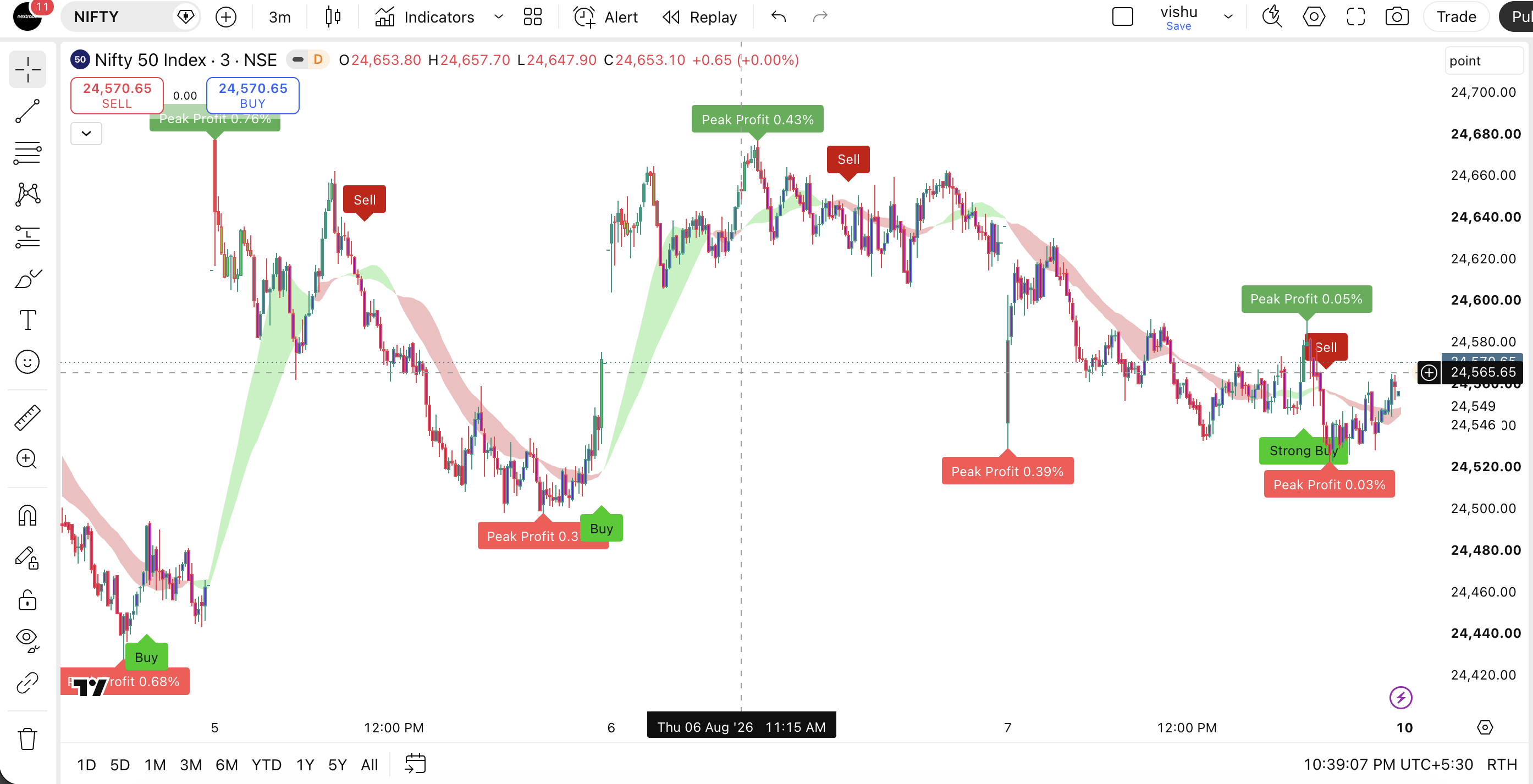
Stop Guessing, Start Profiting
Trade like a sniper, not a gambler.
Tired of entering late and getting stopped out? NexTech gives you exact entry, stop-loss, and take-profit zones instantly. Join thousands of traders using our institutional-grade algorithms to build a deadly accurate edge.
🎯 76%+ Win Rate Setup
SMC Auto-Zones
Real-Time Alerts
No Repaint
5k+
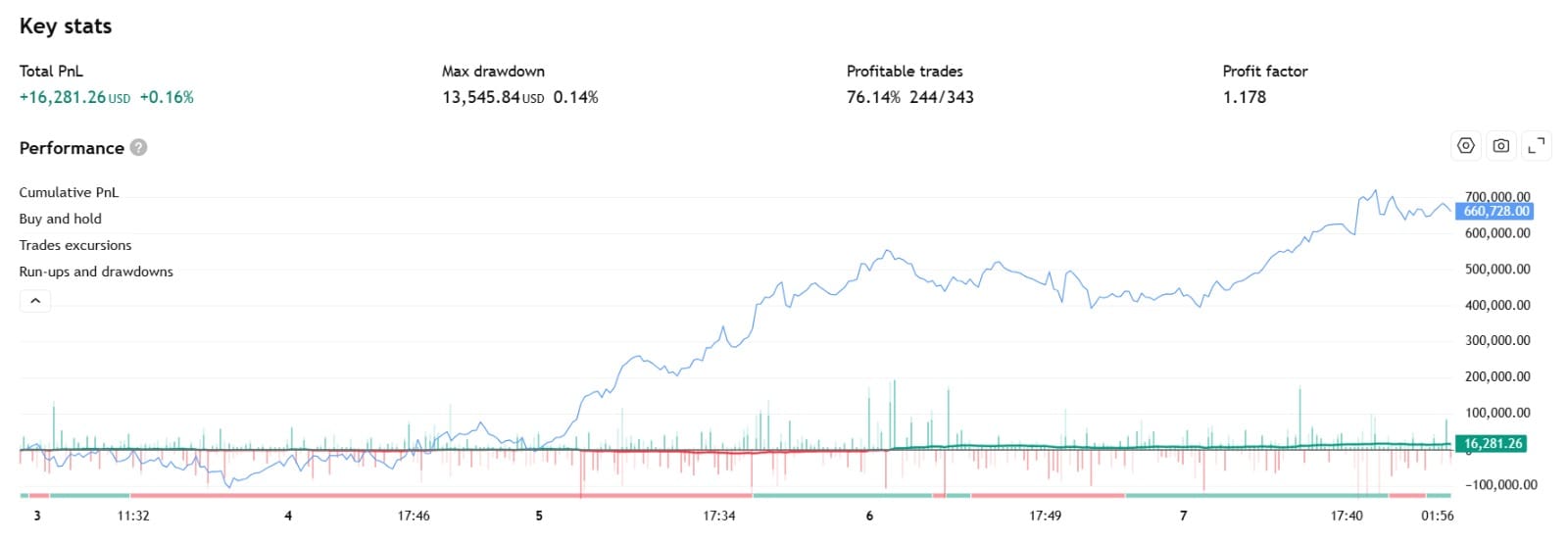
🔥 Stop Blowing AccountsCatch institutional moves🔥 Exact Entry & ExitWorks on Crypto, Forex, Stocks🔥 Prop Firm ApprovedZero Lag Signals
🔥 Stop Blowing AccountsCatch institutional moves🔥 Exact Entry & ExitWorks on Crypto, Forex, Stocks🔥 Prop Firm ApprovedZero Lag Signals
Community Wins
Don't take our word for it. Look at their PnL.
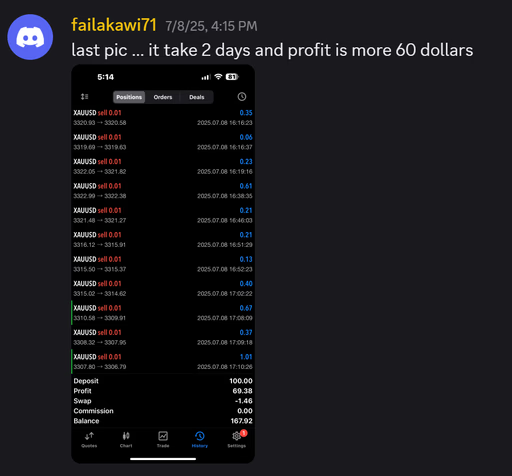
Every day, our discord members are passing prop firm challenges and scaling their personal accounts using the NexTech system. Here is what happened this week.
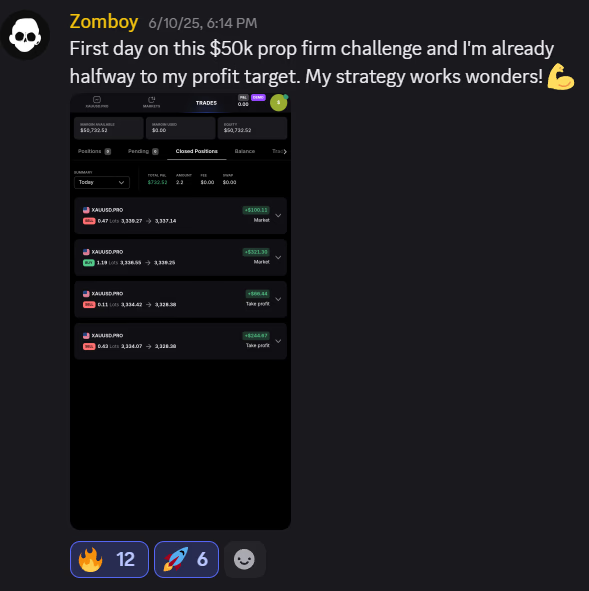
Zomboy
Prop Firm Challenger
"First day on this $50k prop firm challenge and I'm already halfway to my profit target. My strategy works wonders! 💪"
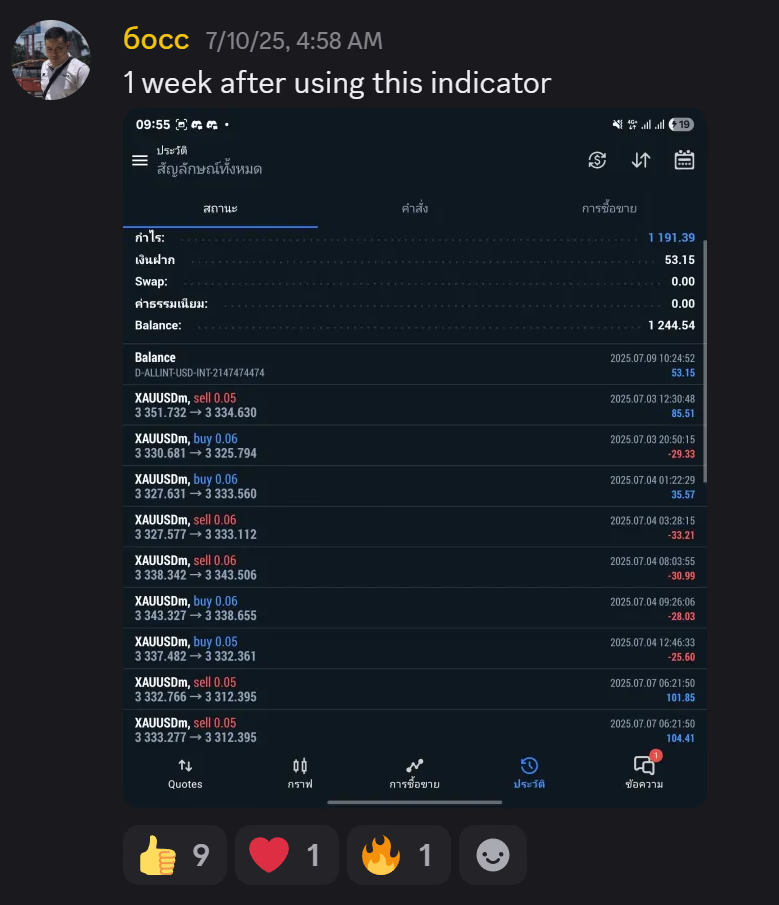
6occ
Forex Trader
"1 week after using this indicator... insane consistency."
John VIP
Crypto Sniper
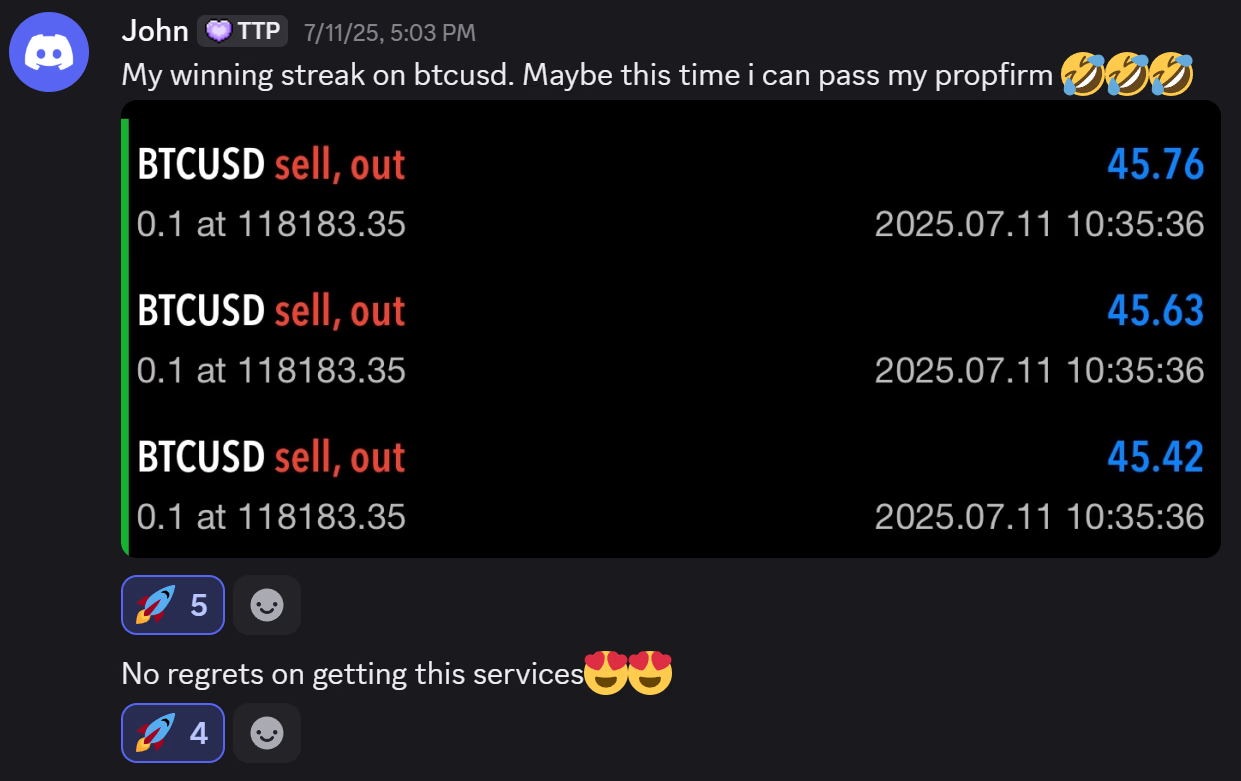
"My winning streak on btcusd. Maybe this time i can pass my propfirm 🤣🤣 No regrets on getting this services 😍😍"
In-Depth Platform Overview
The unfair advantage
See exactly when to Buy and Sell.
Stop overcomplicating your charts. NexTech filters out the noise and hands you high-probability setups on a silver platter. Watch this 60-second breakdown and see why retail traders are switching to our algorithm.
- Pinpoint accurate Entry & Exit signals
- Institutional manipulation exposed (SMC)
- Built-in strict Risk Management rules
The Arsenal
Everything you need to dominate.
We didn't just build an indicator; we built a complete trading ecosystem. Say goodbye to buying 5 different tools—NexTech has it all built-in.
Precision Buy/Sell Algorithm
Our core logic filters out choppy markets. It triggers clear, non-repainting labels only when strict confluence criteria are met.
Auto TP / SL Zones
Never guess where to exit again. NexTech dynamically draws optimal Take Profit and Stop Loss levels based on real market structure.
Trade While You Sleep
Link NexTech to TradingView alerts. Get instant notifications on your phone or PC the second a high-probability setup forms.
Chart Evidence
The charts don't lie.
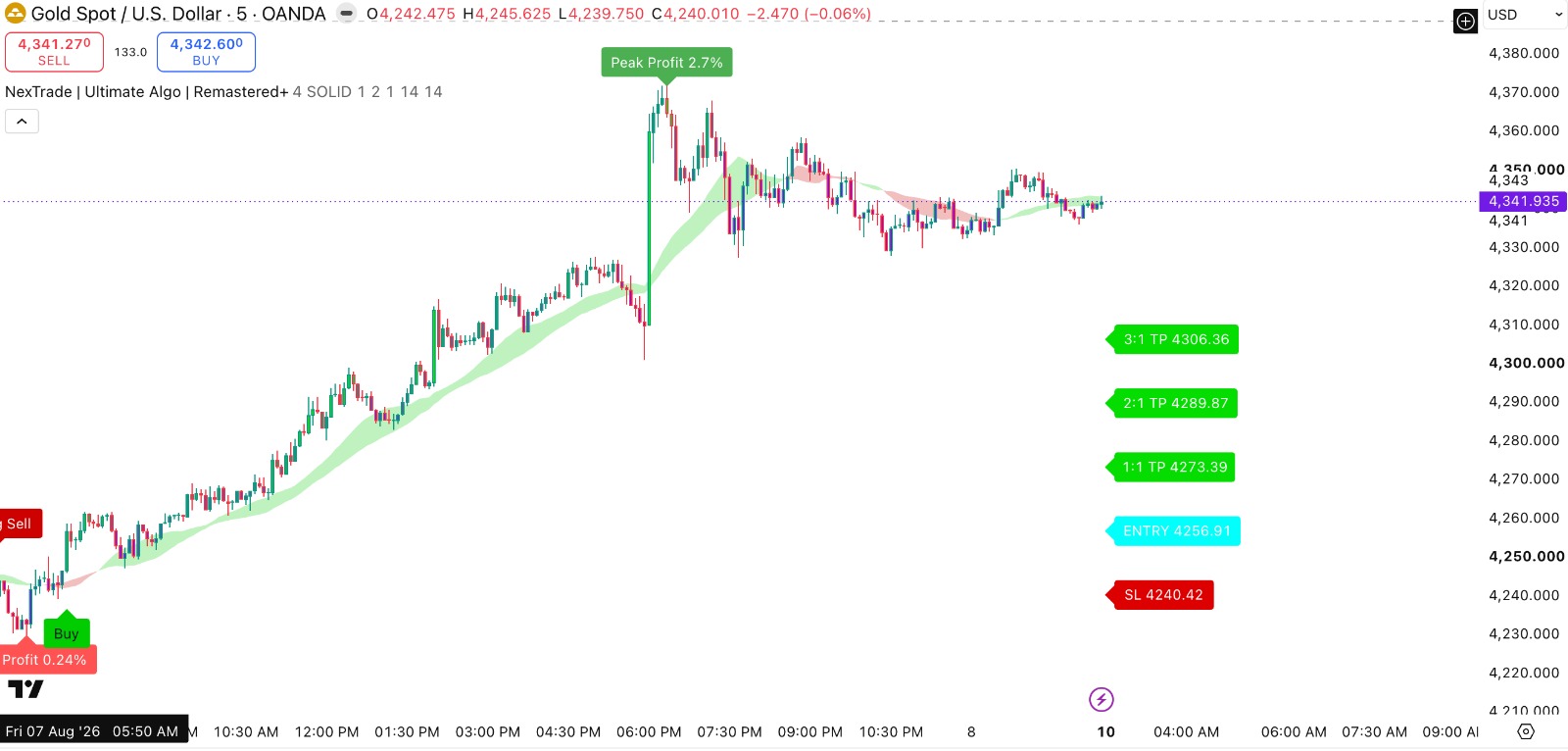
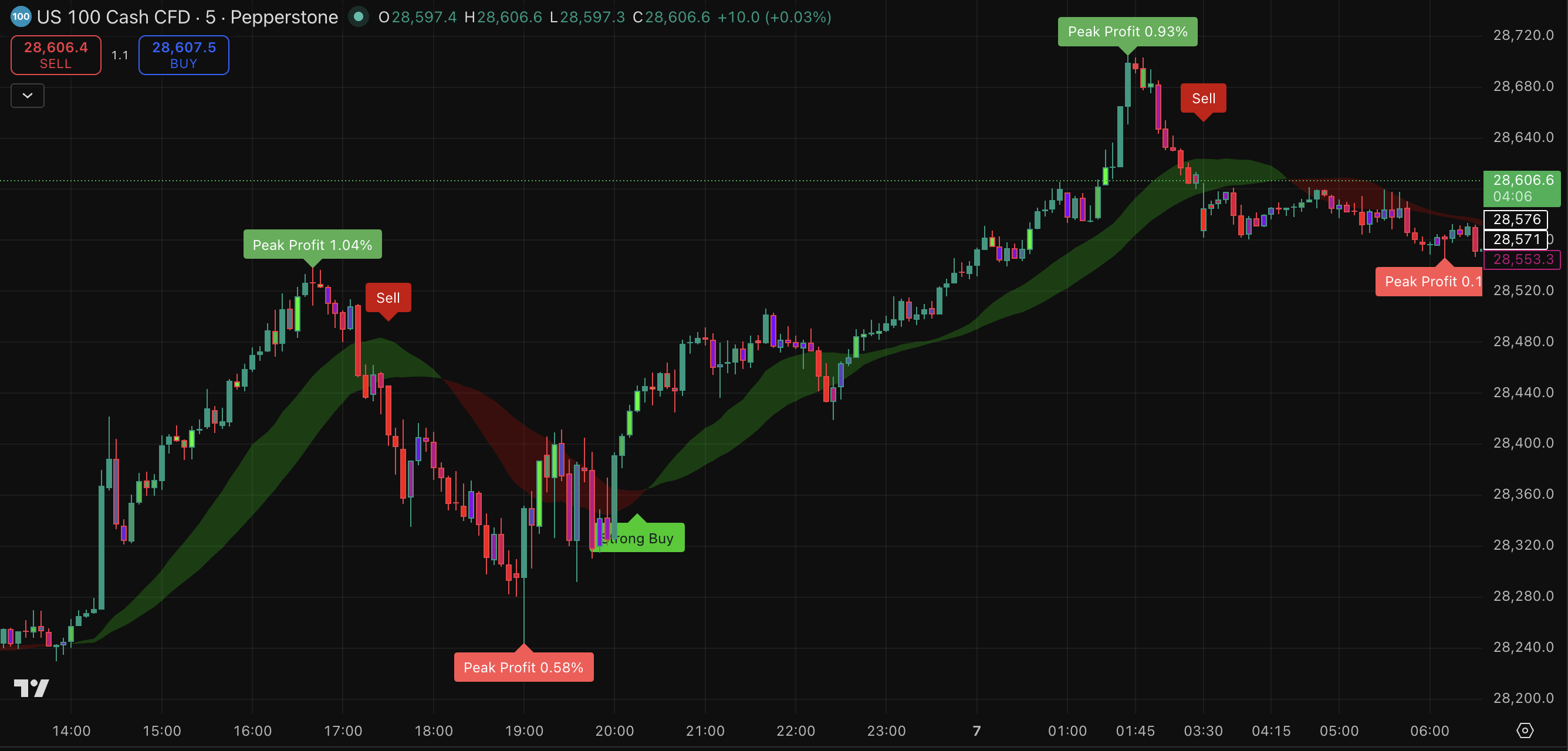
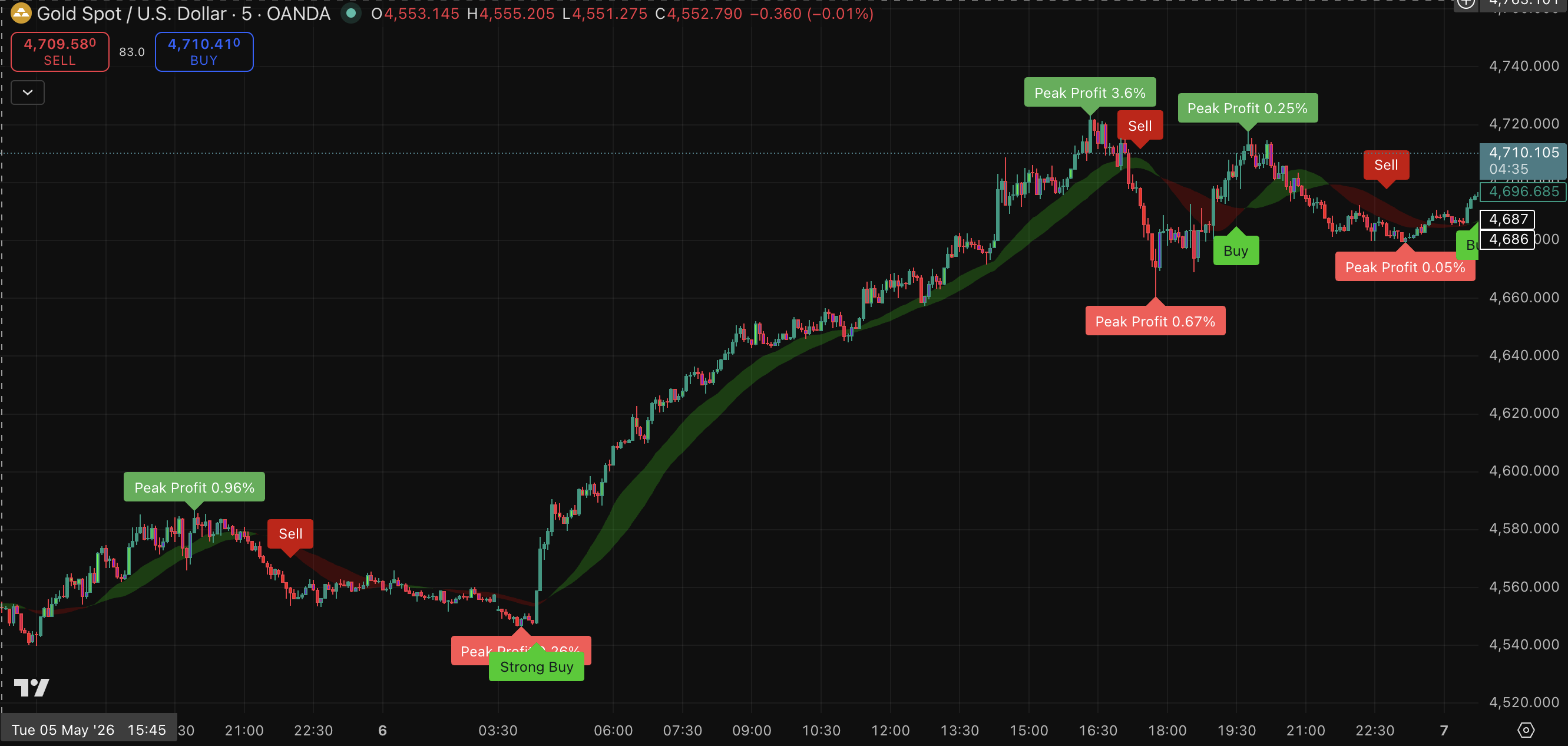
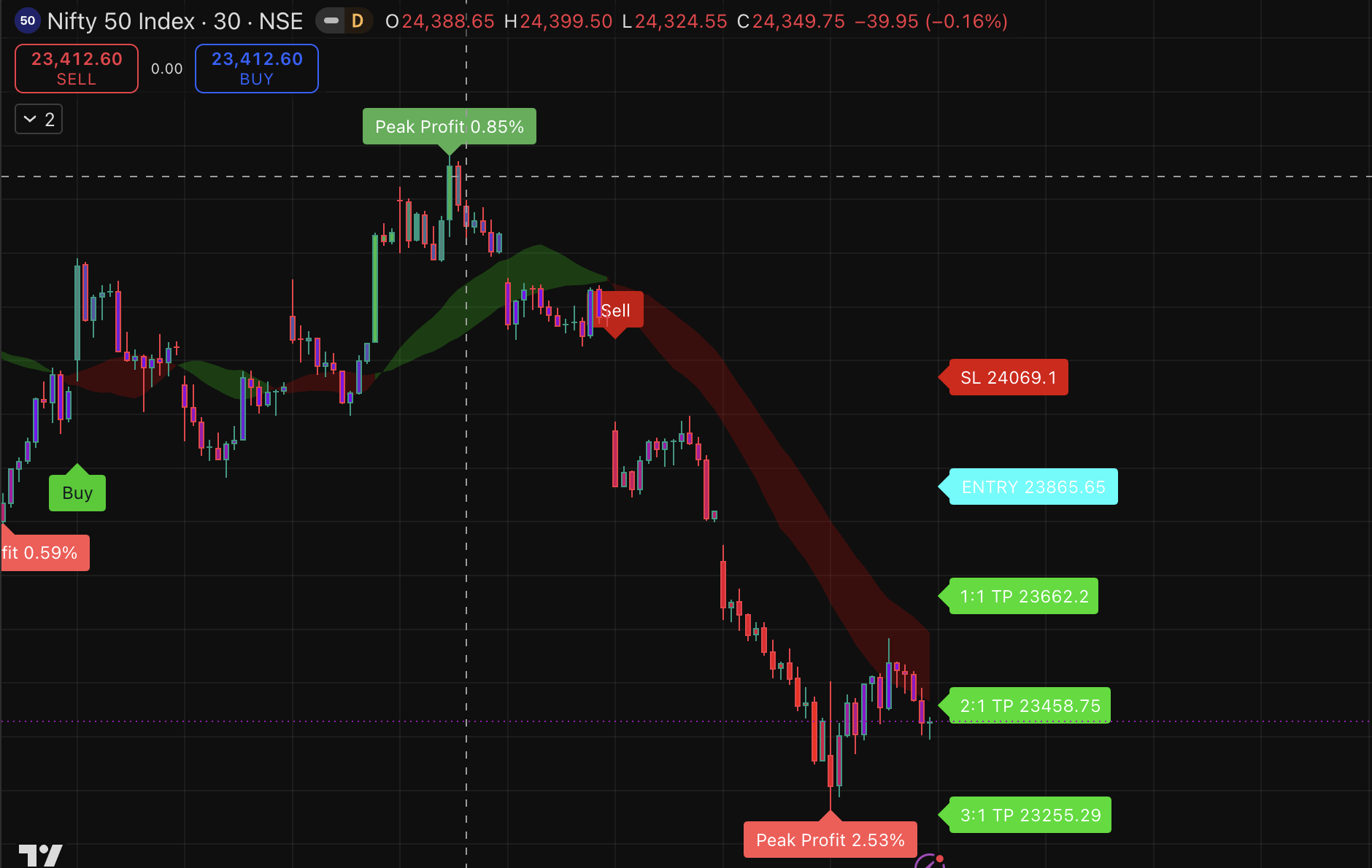
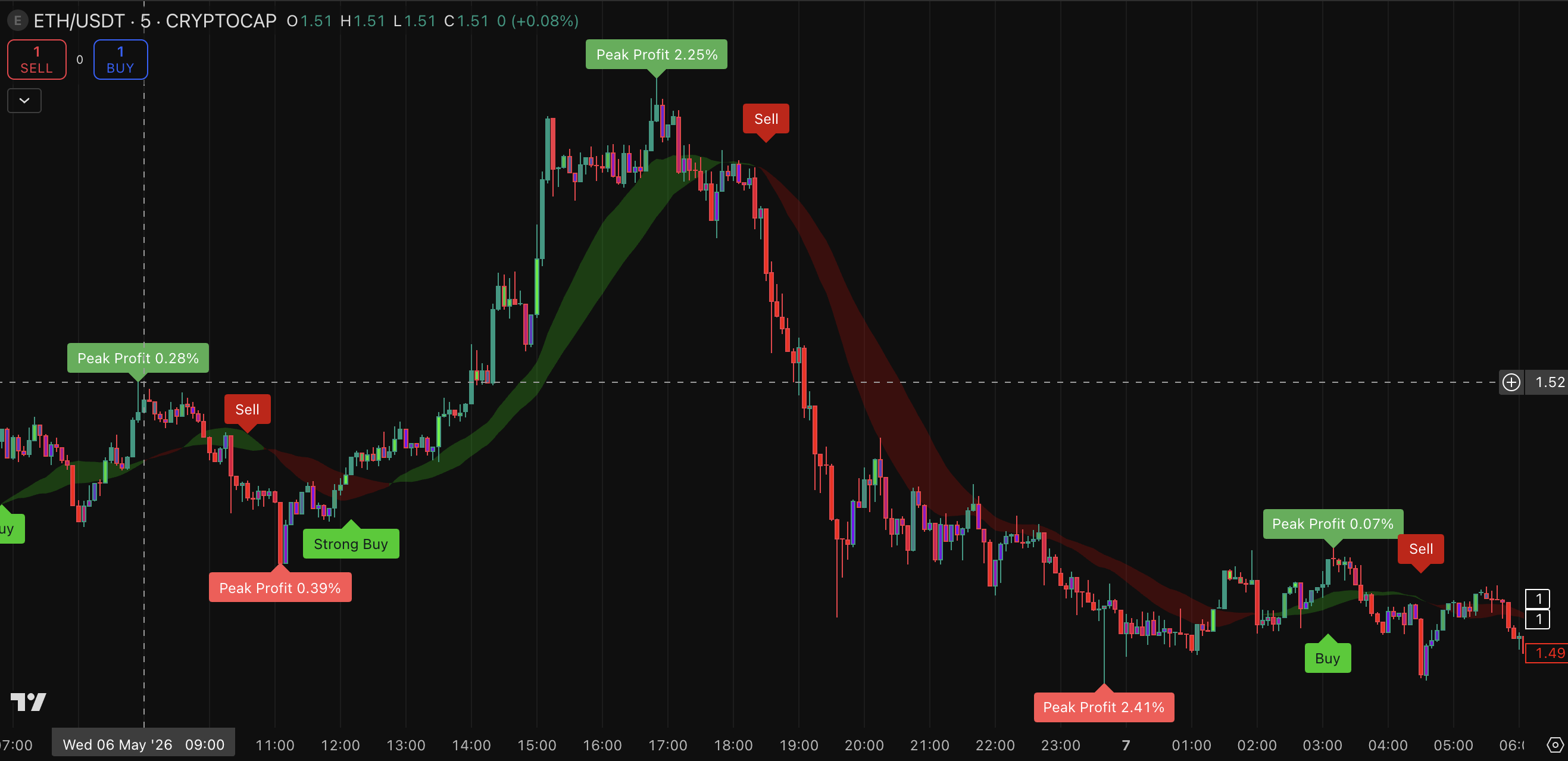
Look closely at these live market captures. Notice how NexTech catches the absolute tops and bottoms while plotting your exact exit strategy.
High Conviction
Sniper Entries
Strong Buy/Sell labels indicate major institutional backing for maximum momentum.
Risk Managed
Calculated Exits
See exact 1:1, 2:1, and 3:1 reward-to-risk targets printed right on your chart.
Stop Missing Out
While you are analyzing charts for hours, NexTech users are getting alerts, taking the trade, and booking profits. It's time to upgrade your workflow.
Plan for you
Let's get you started.
You've seen the product and the results. Now it's time to get access. You are buying tools, education, and a disciplined trading workflow.
One-Time Payment
Elite
Lifetime Access
₹19,997
₹999
/ lifetime
- Full toolkit access
- Strategy and setup resources
- Priority 1-on-1 Support
- Helps in placing trades
- SMC toolkit access
- Updates during access period
Payment opens in Superprofile. After purchase, follow the provided access/setup instructions. Markets are risky; start small, backtest, and never trade without predefined risk.
Advanced Toolkit
Smart Money Concepts (SMC)
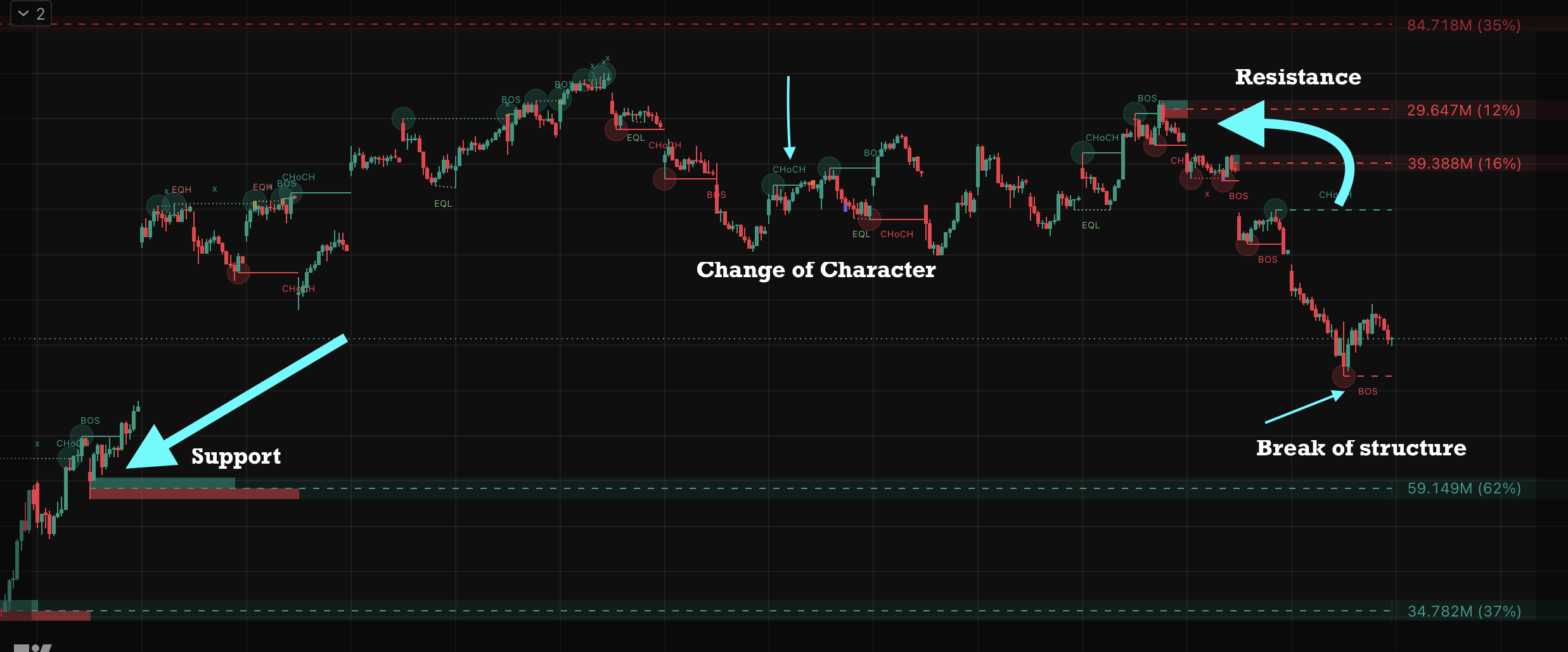
Trade alongside institutional footprints. Our SMC toolkit automatically highlights critical market structure, enabling you to clearly read the narrative behind the price movement instead of chasing retail signals.
- Auto-detect BOS & CHoCH: Spot trend continuation and reversals early.
- Refined Order Blocks: Locate high-probability entry zones dynamically drawn.
- Clear Decision Points: Know exactly where major buyers and sellers are waiting.
Market Dynamics
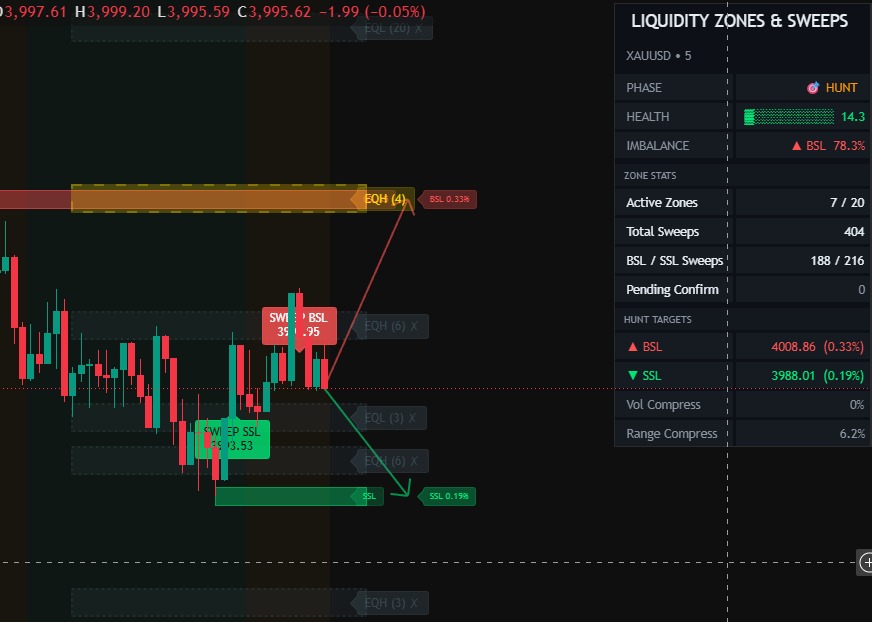
Liquidity Sweep & Traps
Stop being part of the liquidity pool. Identify retail traps, equal highs and lows (EQH/EQL), and major sweep zones before they happen. Wait for the institutional purge, then catch the real directional move.
- Equal Highs/Lows (EQH/EQL): Visualize where retail stops are resting.
- Highlight Sweep Zones: See aggressive stop-hunts clearly marked on the chart.
- Confirm Smart Entries: Time your trades immediately following a confirmed liquidity grab.
The Difference
NexTech vs random signal sellers.
We focus on structured analysis, transparent features, and useful visual aids — not empty get-rich-quick offers.
Other Gimmicks
- Profit promises without risk explanation
- Confusing indicators with no setup process
- No clear entry, stop-loss, or target planning
- Weak support after purchase
NexTech Method
- Clean chart signals with context-based use
- Smart-money zones, structure, and alerts
- Risk-first workflow before every trade decision
- Setup tutorials and support for buyers
After Purchase
What will you get?
Clear deliverables mapping exactly what lands in your hands after signing up.
Indicator Access
Access to NexTech tools based on selected plan.
Setup Tutorial
Step-by-step guide to install and use the toolkit.
Trading Checklist
A simple process for confirmation, risk, and review.
Alert Support
Guidance for TradingView alert configuration.
SMC Toolkit
Order-block, liquidity, and structure-focused visuals.
Support Access
Help with setup and basic usage questions.
Few steps to get started
From purchase to chart in minutes.
1
Get access
Choose your plan and complete payment through the connected checkout.
2
Add to TV
Follow the guide, add indicators, and configure chart settings.
3
Trade safely
Use the checklist for trend, zone, entry, SL, TP, and position size.
Reviews
What traders think.
Aman
The biggest thing for me is clarity. The chart feels cleaner and I can follow a setup process instead of guessing.
Rahul
It helped me avoid random entries because I started checking trend, zone, signal, and risk before action.
Yuvraj
Useful for intraday chart reading. Not magic, but it gives better structure to my trading routine.
Yashi
The biggest improvement for me is clarity. The chart looks much cleaner now, and I can follow a proper setup process instead of randomly guessing where to enter.
kartik
What I liked most is that it gives structure to my trading. Earlier I used to get confused on the chart, but now the signals and setup flow help me understand the market better.
vikas
This made chart reading feel simple. I can clearly see the setup, wait for confirmation, and make decisions with more discipline instead of trading emotionally.
Doubts
Let's answer your questions.
You get access instructions for the selected NexTech toolkit, setup guidance, checklist resources, and support details based on your plan.
Yes. The page, setup guide, and checklist are built to help beginners understand how to use the tool step by step.
No. No strategy or indicator can guarantee profits. NexTech is designed to support chart analysis and discipline. Your trades and risk remain your responsibility.
It is built for TradingView charts. Some advanced alert limits may depend on your TradingView plan.
After payment, follow the provided access and setup instructions. If you need help, use the support contact/community link.
Ready to start?
One clean toolkit. Every chart. Better discipline.
Choose your plan, complete checkout, and start with the setup guide before live-market use.